Solo
Single-player stays on. Bloom's story can be played alone. The co-play flags sit beside that, and they do not replace it. The fact sheet opens with Single-player · Local split-screen PvP.
Play together
You can play Winx Club - Moonlight Quest alone, and you can play it as local split-screen PvP. Remote Play Together is on, and so is Remote Play on TV. The fact sheet line is Single-player · Local split-screen PvP. The US Nintendo listing sets players from 1 to 4, on TV, tabletop, and handheld.
Single-player stays on. Bloom's story can be played alone. The co-play flags sit beside that, and they do not replace it. The fact sheet opens with Single-player · Local split-screen PvP.
Multi-player and PvP are both on. They are not described as a server browser, a matchmaking queue, or a named online co-op campaign. The versus form written in plain language is local split-screen PvP.
Shared/Split Screen and Shared/Split Screen PvP are both on. That is local play on one machine. Store rows use the players label Single-player and local split-screen PvP. The US Nintendo range for that local play is 1 to 4.
Remote Play Together and Remote Play on TV are both on. Remote Play Together is how a friend joins the host from another computer. It is a different flag from couch split-screen, and it does not carry its own party-size number.
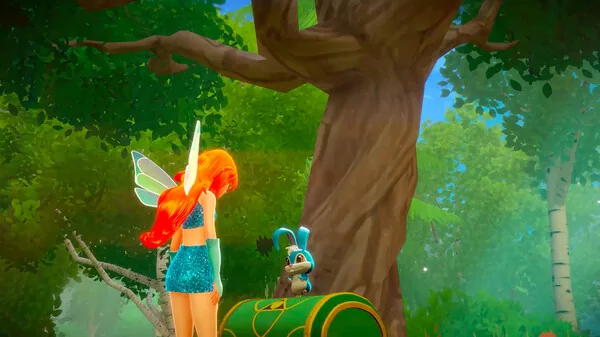

One flag covers playing alone.
Single-player matches the fact sheet. You can play as Bloom without a second person. The flag stays on even though multiplayer flags are present too.
See also Multi-playerTwo flags mark multi-player and versus play, without an online lobby name.
Multi-player is on next to PvP and the split-screen pair. No server browser or named online co-op mode is published with it.
See also PvPPvP is the versus flag. The fact sheet ties versus play to local split-screen, not to a ranked ladder.
See also Shared/Split Screen PvPTwo flags mark shared-screen play and the versus form of it.
Shared/Split Screen PvP is the versus form of that shared screen. It lines up with Local split-screen PvP on the fact sheet.
See also Shared/Split ScreenShared/Split Screen is local play on one screen. The store players label for the same idea is Single-player and local split-screen PvP.
See also Steam AchievementsTwo flags mark joining a host and playing on a TV.
Remote Play on TV is separate from Remote Play Together. It is the TV path for the PC session, not a second split of the Switch build.
See also Remote Play TogetherRemote Play Together lets a friend join the host through Steam Remote Play. No party size is written on the flag. The 1 to 4 count belongs to the US Nintendo listing.
See also Family SharingFour flags cover a full controller, a recommended gamepad, DualShock, and DualSense.
Full controller support is on, and controller support is marked full. A button map is not published.
See also Adjustable DifficultyGamepad Recommended is on. Mouse and keyboard are not marked as unavailable.
See also Playable without Timed InputDualShock Controller Support is its own flag. DualSense Controller Support is listed apart from it, not as a nickname.
See also DualSense Controller SupportDualSense Controller Support is on. The flag does not describe adaptive triggers or a haptic layout.
See also Save AnytimeSix flags cover difficulty, untimed play, saves, achievements, cloud, and library sharing.
Steam Achievements are on. Named achievements are not part of this play-mode list.
See also Full controller supportAdjustable Difficulty is on. The names of the difficulty settings are not published.
See also Gamepad RecommendedPlayable without Timed Input means play does not depend on timed button presses. Category 80 is only the token #category_playable_at_your_own_pace, so that extra flag has no English name among these 17.
See also DualShock Controller SupportSave Anytime is on. A save-slot count is not published beside the flag.
See also Steam CloudSteam Cloud is on for saves. Nothing says a split-screen session uses a different save from solo play.
See also Remote Play on TVFamily Sharing is library sharing on Steam. It is not split-screen, and it is not the Nintendo 1 to 4 player range.
See also Single-player| Feature | Category id | Play group |
|---|---|---|
| Solo 1 | ||
Single-player | 2 | Solo |
| Multiplayer 2 | ||
Multi-player | 1 | Multiplayer |
PvP | 49 | Multiplayer |
| Split-screen 2 | ||
Shared/Split Screen PvP | 37 | Split-screen |
Shared/Split Screen | 24 | Split-screen |
| Remote Play 2 | ||
Remote Play on TV | 43 | Remote Play |
Remote Play Together | 44 | Remote Play |
| Controllers 4 | ||
Full controller support | 28 | Controllers |
Gamepad Recommended | 60 | Controllers |
DualShock Controller Support | 55 | Controllers |
DualSense Controller Support | 57 | Controllers |
| Session and sharing 6 | ||
Steam Achievements | 22 | Session and sharing |
Adjustable Difficulty | 78 | Session and sharing |
Playable without Timed Input | 74 | Session and sharing |
Save Anytime | 79 | Session and sharing |
Steam Cloud | 23 | Session and sharing |
Family Sharing | 62 | Session and sharing |
32 challenges across 4 game modes are there to enjoy with family and friends. Those four mode names are unpublished. They are not the 17 feature flags on this page, and they are not a player-count.